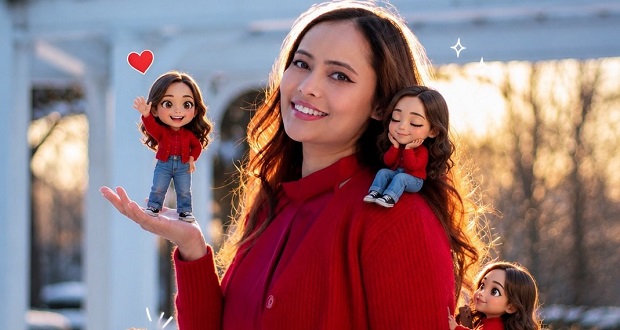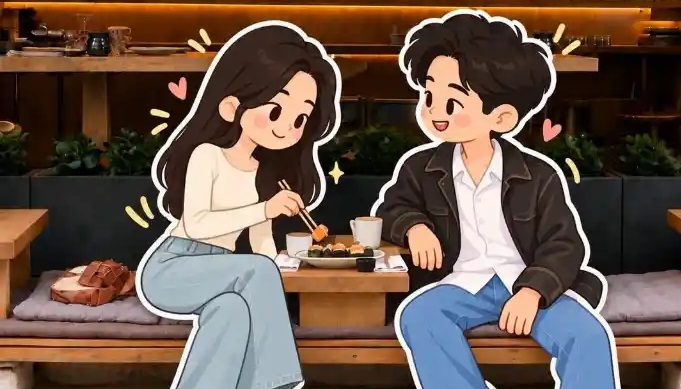

با استفاده از پرامپت تبدیل عکس به کارتون با حفظ پس زمینه واقعی میتوانید عکسهای خود را به تصاویری جذاب با شخصیتهای کارتونی تبدیل کنید، بدون اینکه پسزمینه اصلی تصویر تغییر کند. در این مطلب، پرامپت تبدیل عکس به کارتون را در اختیارتان قرار میدهیم که میتوانید از آن برای ساخت تصاویر فانتزی و متفاوت استفاده کنید.
پرامپت تبدیل عکس به کارتون با حفظ پسزمینه واقعی
این پرامپت به هوش مصنوعی دستور میدهد تا شخص داخل عکس را به یک شخصیت کارتونی دوبعدی و بامزه تبدیل کند و ویژگیهایی مانند مدل مو، لباس، رنگ پوشش و حالت بدن او را حفظ کند. در عین حال، پسزمینه عکس واقعی باقی میماند و هیچ تغییری در محیط اطراف ایجاد نمیشود. برای استفاده از این پرامپت، ابتدا آن را کپی کنید، وارد ChatGPT شوید و عکس موردنظرتان را آپلود کنید. سپس پرامپت را ارسال کنید تا نسخه کارتونی تصویر شما ساخته شود.
پرامپت زیر را کپی کنید و همراه با عکس خود در چت جی پی تی قرار دهید:
Transform only the main human subject in the uploaded image into a full cartoon illustration, while keeping the original background completely unchanged. MAIN GOAL, Remove the realistic human subject entirely and replace them with a cartoon version of the same person. Do not transform, redraw, simplify, stylize, or replace the background. Keep the original photographic background intact, including the environment, perspective, lighting, objects, and overall scene. SUBJECT TRANSFORMATION, Create a cute full-body cartoon character based on the uploaded subject, while preserving: recognizable hairstyle, glasses or visible accessories, general facial identity, outfit design, main clothing colors, pose and gesture, any important prop or object being used. The final result must contain no realistic human figure. Only the subject is replaced by the cartoon version. CHARACTER STYLE, Use a playful flat 2D cartoon style with: oversized rounded head, simplified small body, rounded hands and feet, soft organic shapes, clean minimal facial features, simple oval or dot eyes, tiny or minimal nose, small smiling mouth, rosy cheeks, cheerful and friendly expression. VISUAL STYLE, Use a clean modern illustration style: flat colors, minimal shading, soft pastel-like tones, smooth simplified shape construction, simple darker color blocks for depth, no realistic textures, no 3D rendering, no glossy CGI, no anime style, no rough sketch style. OUTLINE, Add a thick white sticker-like outline around the cartoon subject so it looks like a large cutout illustration placed into the real photo. COMPOSITION, Show one large cartoon version of the subject in the same approximate position as the original person. Keep the composition natural and visually integrated with the original photo. BACKGROUND RULE, The background must remain original and photorealistic. Do not convert the background into illustration. Do not simplify the court, fence, sky, buildings, or surrounding objects. Do not repaint or stylize the environment. Only replace the human subject. DECORATIVE ELEMENTS, Add a few playful decorative graphic accents around the cartoon subject only, such as: sparkles, splash shapes, curved doodle marks, floating blobs, simple motion accents. These accents should be light and fun, without covering or changing the original background too much. FINAL LOOK, The final image should look like: a real photo background, with the original person replaced by a cute cartoon character, clean and cheerful, youthful and modern, visually striking, social-media friendly, commercial illustration quality. Avoid: transforming the background, stylizing the environment, turning the whole image into a cartoon, photorealistic human figure, duplicated subject, extra characters, clutter, text, watermark, logo.
با سایت فری لرن میتوانید به جدیدترین و انواع پرامپ هوش مصنوعی دسترسی داشته باشید.